The short answer
How do I list items on eBay faster?
Batch it: bulk upload your photos, group them into items, generate the listing drafts, and check each price against sold comps before you publish. In an Oct 2025 video I priced Jake straight jeans at $29 to $35 and mid-range pieces at $34.95. The rule that matters: price from sold listings, not asking prices.
- Bulk upload the whole pile at once, then group the photos into items with a tap per item.
- Shift-select the first photo and enter a starting SKU number. The rest fill in sequentially, so you never type each one.
- Price from sold comps, not asking prices. In Oct 2025 I priced Jake straight jeans at $29 to $35.
- Set business policies before you publish, or switch on manual shipping on the publish page.
- Read every draft's brand, size and condition before publishing, since those errors cause returns.
Chapters (9)
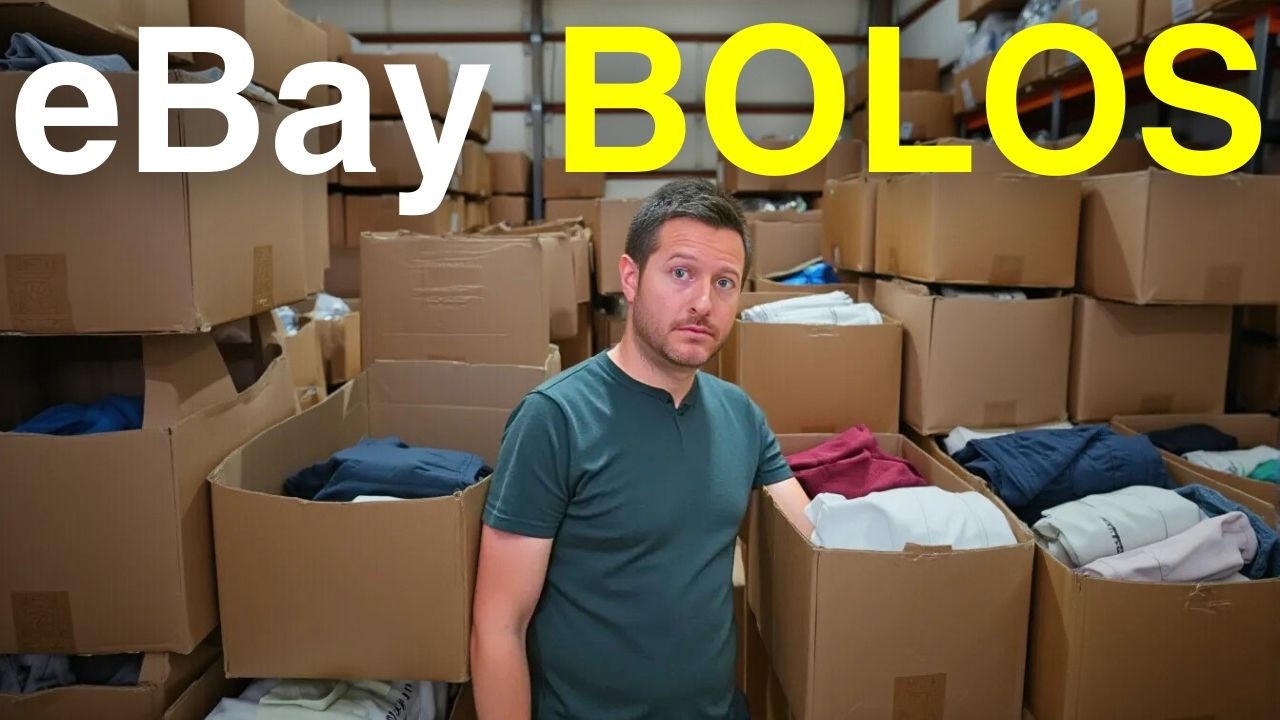
In this video from Oct 27, 2025, I show how I list about 10 items a day on eBay with EasyFlip, the tool I built for myself and other resellers. I'm a clothing reseller, but the same steps work for other categories. Here's the workflow from bulk upload to the publish button, plus the parts that took me the longest to get right.
Why batch the work?
Listing one item at a time is where most of the hours go. When I first started on eBay, I'd look up keywords, pull comps and write the title for each item, and the same work took me about three times as long as it does now. Batching changes the shape of the day. You photograph a pile, upload it, then do the same step to all of them. Each step happens once per batch instead of once per item.
The trade-off is that a batch can hide mistakes if you rush the review. That's why the steps below include a check at each stage, not just at the end.
How do I bulk upload a pile of photos?
Upload the whole batch at once, then group the photos into items. I go to the bulk upload tab, open my eBay folder on the desktop, select all the item photos, and let them load. Once they're up, grouping is a tap per item. Don't sort photos one at a time. The point is that a 10-item pile takes minutes, not an afternoon.
Do I need SKU numbers for eBay?
You don't strictly need them, but you should use them if you resell even part-time. Without a number on each item, you'll struggle to find it on a shelf. Here's how I set them up: select the first photo, hold Shift to select the range, enter your starting number (I used 25214 in the video), and hit create item. After that the numbers fill in sequentially, so you never type each one.
How do I generate 10 listings at once?
Select the whole batch and hit generate. In the video it finished all 10 in a few seconds. My batch mixed pre-owned clothing, new-with-tags pieces and band tees from January, and the drafts handled all three. Each draft includes a title, description, item specifics, category and a suggested price from EasyFlip.
Treat every draft as a starting point. Read the brand, size and condition on each one. A wrong size or a missed flaw is what brings returns, so those lines get the closest look.
How should I price items without guessing?
Build pricing from sold comps, not asking prices. An asking price is what a seller hopes to get. A sold listing is what a buyer actually paid, and that's the number to price from. Pricing is the step I'm most careful with, because a few wrong prices in a batch cost more than the time you saved.
I also price in buckets. Many items in a batch fall into the same tier, so I set a price for each tier instead of pricing every shirt separately. These are the prices from that October 2025 video:
| Bucket | Price in the video (Oct 2025) | My rule |
|---|---|---|
| Higher-value pieces | About $59 to $60 | Check sold comps for the exact item |
| Mid-range pieces | $34.95 | Same check, shorter list |
| Jake straight jeans | $29 to $35 | Check your size, wash and condition |
| Low-value pieces | Not listed | Get rid of them instead of listing |
These are the prices I set in October 2025, not sold prices from today. Treat them as a starting point, and check current sold listings before you copy any of them.
What about item specifics and descriptions?
Check every item specific. Brand, size, color and material are what buyers filter by, so a missing or wrong one hides the listing. Read the description for anything the photos don't show, like flaws, measurements or fit. You can keep the generated description or write your own.
There's also an analyze market feature that looks at similar active listings. Active listings show what sellers are asking, not what items sold for, so use it as a reference point rather than proof.
Do I need on-model photos?
For women's clothing, I've been using the on-model feature, which places an item on a model. A flat lay can look fine, but on a model you can see how the joggers fall and how the detail reads. In the video, the Vuori joggers and an Anthropologie top both showed their detail much better on a model than flat.
For hard goods, books and media, I use the remove background feature instead. It cleans up the photo and gives it a finished look without a model. Use whichever fits the item.
How do I publish without touching every listing?
Set business policies in your eBay account before you publish, so shipping and returns apply without retyping them on each item. If you don't use business policies, switch on manual settings on the publish page and enter your shipping there.
Then go through the batch, check the photos, price and specifics, and publish. In the video, publishing took about 10 to 30 seconds once everything looked right. Before you publish, scan the whole batch on one screen. Mismatches show up faster when you're looking at a list than when you're clicking through item by item. After that, check your eBay listings page to make sure each one went live the way you wanted.
I start on eBay and add other platforms like Poshmark and Mercari after that, so each platform gets its own check.
The bottom line
This week, try one batch of 10 items. Bulk upload, group the photos, assign SKUs, generate, and check sold comps for your top few items. Set your business policies, publish, and review the live listings. If you want more workflow breakdowns like this, sign up for the newsletter.
Questions people ask
How long does it take to list an item on eBay?
In the Oct 2025 video I was listing about 10 items a day, and I said batching cut my time to a fraction of what it was when I looked up every keyword and comp by hand. Your time depends on how many photos you have and how carefully you check each draft. I'd rather not give a number I didn't measure.
Do I need SKU numbers for eBay?
eBay doesn't require them to list, but if you resell even part-time you'll want them so you can find each item on a shelf. I shift-select the first photo, enter a starting number, and the rest fill in sequentially.
Should I use business policies on eBay?
Yes, if you can. I set them before publishing so shipping and returns apply without retyping them on every item. If you don't use business policies, you can switch on manual settings on the publish page and enter your shipping there.
How much should I charge for Jake straight jeans?
In the Oct 2025 video I priced Jake straight jeans between $29 and $35. Check current sold listings for your size, wash and condition before you copy that number, since prices move.
Do I need on-model photos to sell clothes on eBay?
No, but I use an on-model photo for women's clothing because it shows fit and detail better than a flat lay. For books, media and hard goods, I remove the background instead.
Sources
Prices are eBay sold listings, and every fact below was checked on October 27, 2025.
Read the full video transcript
In this video, I'm going to show you how I'm listing 10 items a day with little as one minute. So, I'm going to be showing you Easy Flip. This is a tool that I built for myself and for others to really help cut down on the time that it takes to get listings done. I'm a clothing reseller, but this works with other categories as well. And I just kind of want to walk you through the process in my workflow. I don't have a ton of time to be listing items every day and looking up keywords and figuring out comps. So, I just built this tool to really help me out and save a lot of time. So, let's jump right into it. All right, so here's the website. It is a web app, and we're able to now list stuff onto eBay. I do have a 7-day free trial if you want to give it
a try. I'll put a link down below. And then we also have these plans here depending on how many items you list per day. So, let's sign in and I'll just go through the workflow just to kind of show you how quick this is. It's crazy. So, I'm listing 10 items a day and between Poshmark and eBay, I'm selling between four to five items per day. And it's been really easy, really simple. I'm just going to go to the bulk upload tab. And this is where you do all of your listings. So, I'm just going to go to desktop, go to my eBay folder, and just select all these items and get them all uploaded. Just to give you a good uh glimpse of my eBay store, we're kind of in repair mode right now, but we are up $3,770 in the last 31 days. We've been listing every day since end of start of
September. So, you know, we're starting to get going. How many? We have $456 active listings. So, really cool to kind of, you know, get this thing going again. It's a mix of Lululemon and some pre-owned clothing as well. So once these photos are all uploaded, you go into the assign skew page. This is a page where you're just going to assign all the skew numbers to your items. You don't have to. You can definitely have Easy Flip do this for you, but if you are a reseller and you do this even part-time, you're probably going to want to have some skew numbers. Otherwise, how are you going to know where your items are? So you just select the first photo, you hold shift, and then it is 25214. And then you just hit create item. and then it's going to automatically populate in sequential order from there on out. So you don't need to type
in the number. So just a really simple process. We're really trying to dial in on publishing to eBay first and be as good as it can be before we branch off into other platforms like Depop, Poshmark, Merkari, and all of that. So just trying to make it as good as possible for eBay. So you could see here we are all set. All right. So now we are going to Okay. So generate listings. This is the easiest part. So you just select them all. Hit generate. It's going to knock out all 10 in a few seconds. You can see here I have a mix of pre-owned clothing and then some new with tags clothing and then some band tees that we got back in January. So, what I've been implementing too is an on model feature, which I think is really helpful for women's clothing. So, let's see here. So, let's pull up a few of
these. It just makes the items look so much better versus just on a flatlay. So, I have this on model feature, which you can virtually stage all of your items. So, you can see these joggers. I mean, they look okay, right? But I think they just look a little bit better when you have it on model, right? You can see it does a great job of capturing the detail of those Viori joggers and simple too anthropology top does a great job of capturing the detail. So once those are all generated, you can see here Lululemon airing easy short sleeve. You got BK Jake straight jeans. It does a really good job. We're working on the pricing as we are trying to pull the most accurate sold comps when it comes to eBay. There's a few ways we're doing that. Through the API and through another um process called an MCP. So, we're able to get
as accurate as sold comps as possible. So, there is a few things I do do bucket pricing. So, these I sell for around $60. These that's accurate. And then these I sell for 59. These cargo shorts we'll do 1995. Those are riptop. And these I do $34.95. The BK Jake jeans usually between 29 and 35. I like the price on that. This is wrong. Performance fishing gear. And then these I just get rid of them. $1.99. Uh just get rid of these t-shirts. So, especially when you're just starting out, listing anything on eBay takes a while because you got to do it correctly. Item specifics, you got to price it correctly. You got to have a good title. So, um, here, uh, is the publish to eBay page. So, I really make sure that you have business policies enabled. If you don't have business policies or you don't like business policies for some reason, you
can toggle this manual settings feature here. And you can just plug in your manual shipping. So, you could do that as well. So, you can see here we got all our listings. I like to just put it on the model for all of these. And you could see here it's going to generate that. And you can kind of just look through here. There is an um analyze market feature where you can get an analysis on some of those items that are already actively listed and kind of get a good idea of what those items are selling for or are actually priced at. So, you can get a good idea there. And then any item specifics you can add in here if you'd like. And then as well as the description, too, um if you wanted a it's a AI description that does a great job, but you can put your own if you'd like in
in there as well. So, the on model feature, great. It's looking good. I also want to mention there is a remove background feature as well. So, if you do like hard goods or books, media, whatever, I do think removing the background just adds another touch to the photo. So, I'm adding the on model feature for all my clothing items and just kind of going through everything, making sure everything looks good and and yeah, that's the process. Our eBay store has been kicking butt on autopilot these last few weeks and it's taking me no time. So, here's the last 31 days of just listing 10 items a day where our store is still trending towards top rated as we sell more items. So, that is amazing just to kind of see, you know, how fast the workflow is. compared to when I first started selling on eBay, this process would take me three times as long,
you know, having to look things up and everything. So, once everything looks good and you're happy with whatever you chose and the pricing and everything, you just hit publish and then you can literally go walk away, grab a cup of coffee, whatever. It's going to knock out publishing those items in about 10, 20, 30 seconds. So once those are all published, you can then go to your listings page on eBay or whatever and just make sure everything looks good and that's it. And after the listings page, you could just go into your dashboard and you can see on the left hand side there is a support setting, a how-to video and a report issue. So I am on top of it. If you ever come across any questions or anything like that, please reach out to me via the lefthand navigation. I wanted to make a simple tool for resellers that was not only easy
to use, but easy for a lot of people that are just getting into reselling, but don't have the time to, you know, learn keywords and learn about pricing their items. They could just drag and drop their photos, click generate, and click publish and be done. So, I'll put a link. There's a 7-day free trial. You get five free listings on us, give it a try, and if you like it, you can move forward from there. Hope you guys have a blessed rest of the day, and we'll see you in the next one. Bye-bye.